Change Eye Color in a Photo
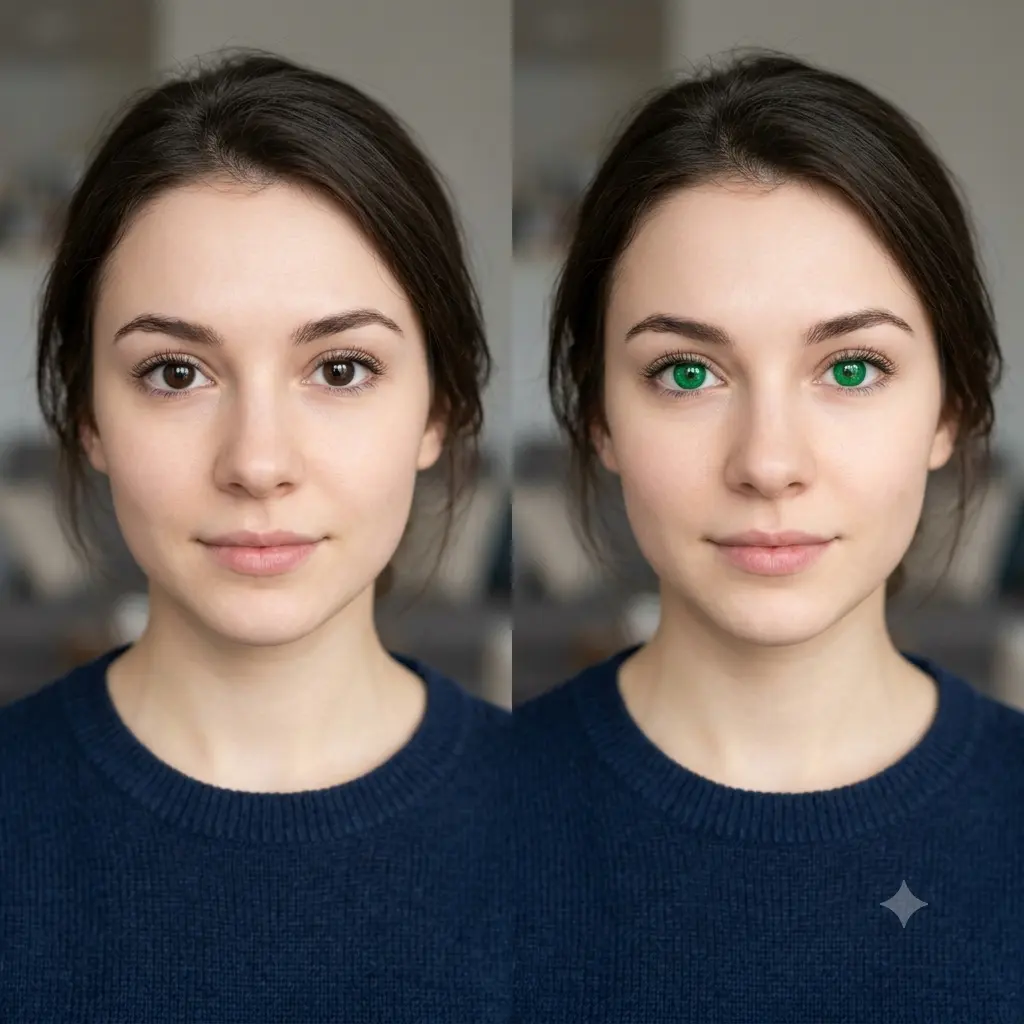
Change the eye color in a photo to any shade, from blue to green to hazel, keeping the eyes natural and sharp.
The prompt
Change the eye color of the person in this photo to [a bright emerald green], keeping their face and all other features exactly the same. Recolor only the irises, preserving the natural texture, subtle flecks, catchlights, and soft reflections so the eyes look real rather than painted on. Blend the new color smoothly into the surrounding eye and keep the lighting, skin tone, and sharpness unchanged. Photorealistic, natural-looking retouch, high resolution.
How to use this prompt
- Upload a clear, front-facing photo where the eyes are visible.
- Paste the prompt and name the eye color you want.
- Generate, then ask for a softer or more vivid shade.
Tips and variations
- Name a natural shade like "warm hazel" or "deep ocean blue" for a believable result.
- Add "keep the natural texture and catchlights" so the eyes do not look flat.