A fresh summer outfit can change the whole feel of a photo, and Google Gemini lets you try any look on your own selfie in under a minute. You upload a picture, ask for the summer outfit you want, and get back a polished shot with the new clothes and a matching sunny scene. Gemini's Nano Banana image model is what keeps your real face while it restyles the outfit and background around you.
It is perfect for planning a vacation wardrobe or just refreshing your feed. Below are the exact Gemini summer outfit prompts to try, from breezy linen to a beach vacation look. Copy any one, paste it into Gemini with your selfie, and change the parts in [square brackets] to set your outfit or scene. For a fully custom swap into any outfit at all, try our virtual outfit change prompt.
How to make a summer outfit photo in Gemini
- Open the Gemini app and upload a clear, front-facing photo in good light.
- Paste one of the prompts below and set your [summer outfit] and scene in the brackets.
- Add "keep the same face and pose" so only the clothing and background change.
- Generate a few takes and keep the one that fits and lights the most naturally.
The classic linen summer look
The signature summer look, you in a breezy linen set under soft natural sunlight, fresh and easy and made for any warm-weather day.

Restyle [a person] into a stylish summer outfit, keeping the same face and features. Dress them in a breezy [beige linen set] with the soft natural texture of real linen, soft natural sunlight, a light airy background, and a relaxed confident pose. Warm summer tones, clean and fresh, photorealistic, high resolution.
The beach vacation outfit
A relaxed vacation version on a sunny beach, a flowy sundress or light linen and the ocean behind you, made for that carefree holiday post.

Restyle [a person] in a relaxed beach vacation outfit, keeping the same face and features. Dress them in a [flowy white sundress or a light linen shirt and shorts], on a sunny sandy beach with the ocean softly blurred behind them. Warm golden light, a breezy carefree mood, photorealistic, high resolution.
The city summer casual
A light city take in breathable summer daywear on a bright sunny street, the kind of easy, stylish fit you would actually wear out.
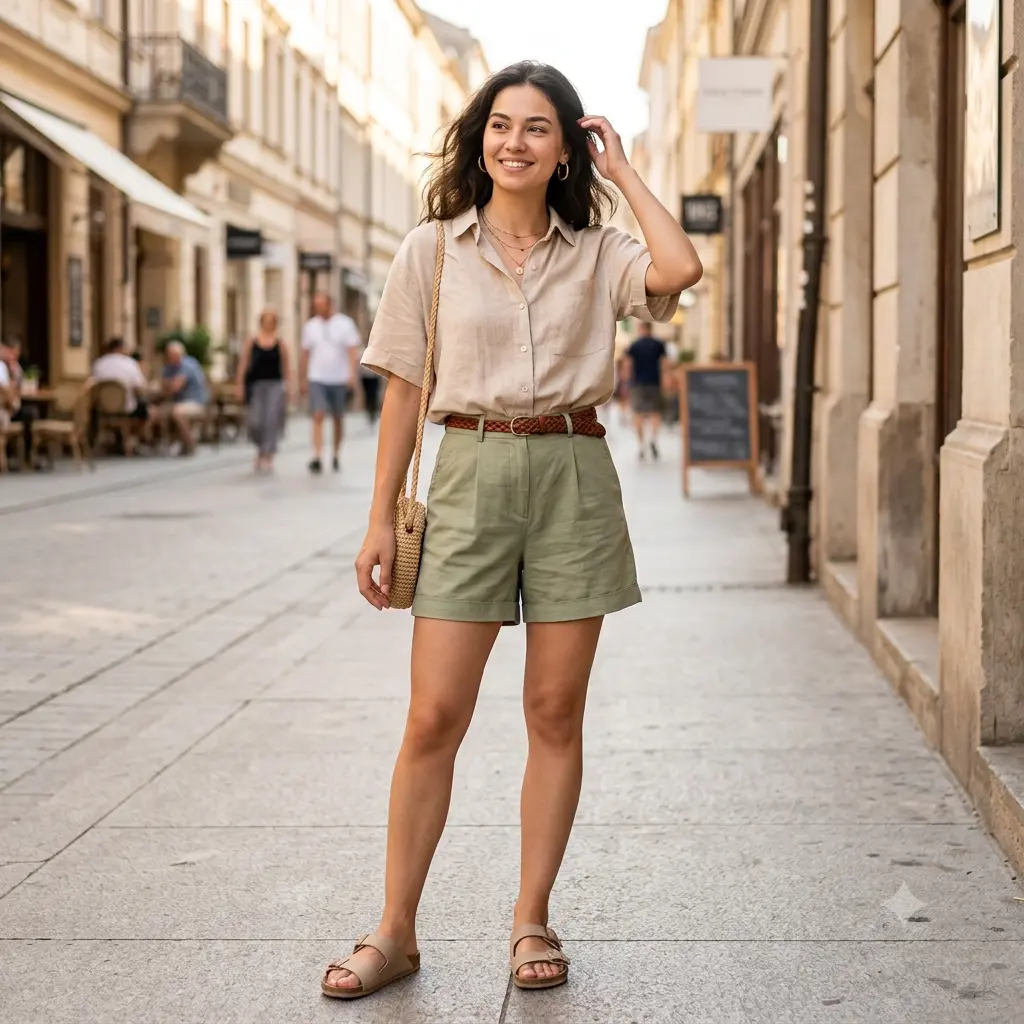
Restyle [a person] in a light city summer outfit, keeping the same face and features. Dress them in casual breathable daywear, such as [a linen shirt and tailored shorts], on a bright sunny city street softly blurred behind them. Clean warm daylight, an easy stylish look, photorealistic, high resolution.
The floral summer dress
A cheerful version in a bright floral summer dress set in a lush sunny garden, soft blooms and warm light for a fresh, feminine look.
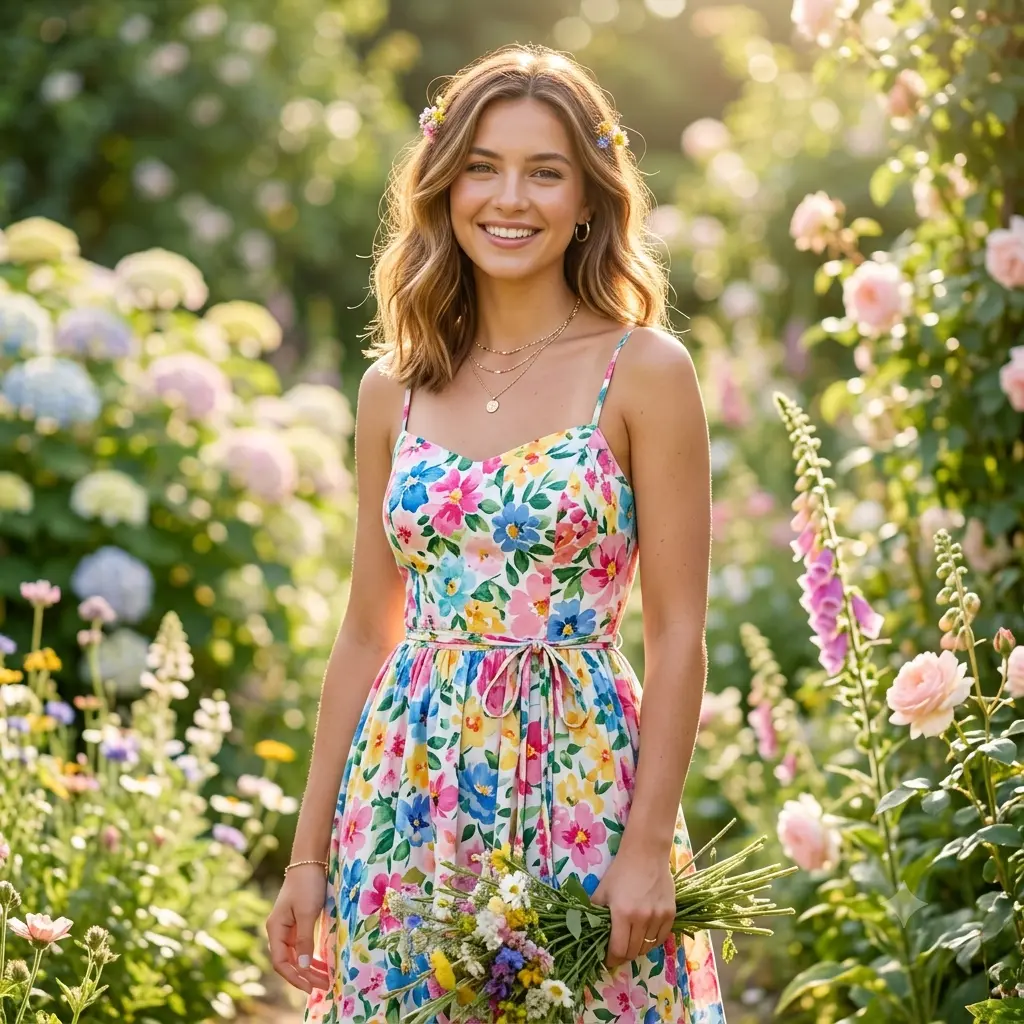
Restyle [a person] in a bright floral summer dress, keeping the same face and features. Dress them in an elegant [floral-print summer dress], in a lush sunny garden with soft blooms behind them, the print and the garden echoing each other. Warm daylight, a cheerful fresh mood, gentle bokeh, photorealistic, high resolution.
The golden-hour evening look
An elegant golden-hour take in a refined summer evening outfit, a warm glowing sky behind you, dressy but still light and effortless.

Restyle [a person] in an elegant summer evening outfit, keeping the same face and features. Dress them in a light, refined [evening outfit], at golden hour with a warm glowing sky behind them. Soft warm light, the last of the sun warming the skin gently, a graceful relaxed pose, a warm summer-evening mood, photorealistic, high resolution.
A few extra tips
- Name the color and fabric in the brackets, like "beige linen" or "a pale blue sundress", for a sharper, more accurate result.
- Add "keep the same face and pose" so Gemini only swaps the outfit and scene, not you.
- Match the background to the outfit, a beach, garden, or city street, so the whole summer scene feels real. For the beach look, our beach background prompt pairs nicely.
- Generate two or three takes, since the fit and fabric folds look more natural on the best one.