
A Ghostface photo turns an ordinary selfie into something straight out of a 90s horror movie, right down to the film grain, and it is one of the spookiest things you can make with Google Gemini. You upload a normal selfie, ask Gemini to place the masked figure from Scream lurking in the shot, and the result looks like a real film still. Gemini's Nano Banana image model is what makes it work, it keeps your real face while it builds the whole spooky scene around you.
It makes a great Halloween photo to share on TikTok or Instagram. Below are the exact Gemini Ghostface prompts to recreate the look, from the classic figure in the doorway to a full movie poster. Copy any one, paste it into Gemini with your selfie, and change the parts in [square brackets] to match your room or your favorite horror villain.
How to make a Ghostface photo in Gemini
- Open the Gemini app and upload a clear selfie. Indoor or night photos work best, since the Ghostface look needs a dark, moody setting.
- Paste one of the Ghostface prompts below with your photo, and tell Gemini where the masked figure should lurk, in a doorway, a mirror, or right behind you.
- Change the setting or the character in [square brackets] to make the scene your own.
- Generate a few takes, then download the one you like.
Ghostface in the doorway (the classic)
This is the shot that kicked it all off. The figure just stands there, silent, in the dark behind you as you go about your night.
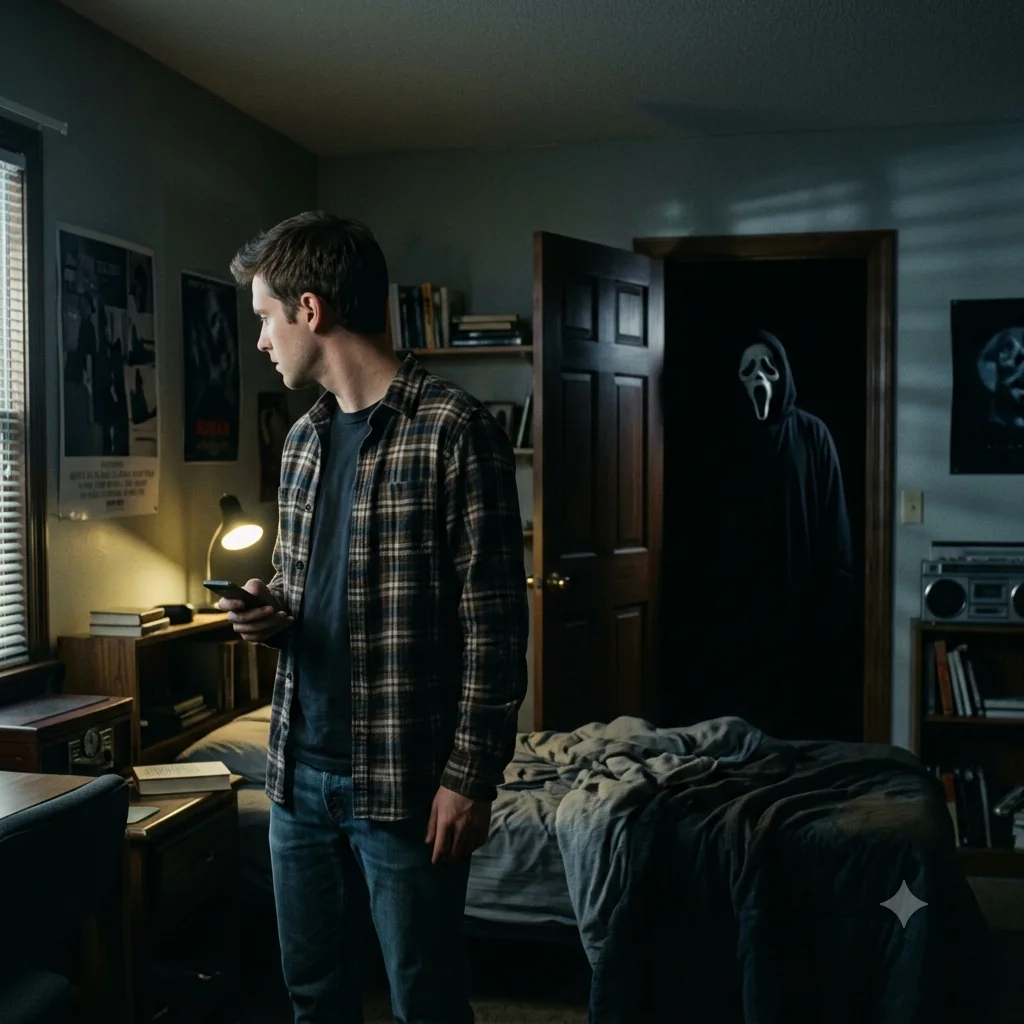
A cinematic photo of [a person] standing in a bedroom at night, with the Ghostface figure from Scream standing silently in the [open doorway] behind them. Dim moody lighting, deep shadows, a grainy 1990s horror movie look, shot on 35mm film. Ghostface is partly hidden in the dark so the moment feels real and unposed.
Ghostface behind you in the mirror
The mirror version is extra unsettling because you look like you have no idea he is there. Perfect for a quick mirror selfie.
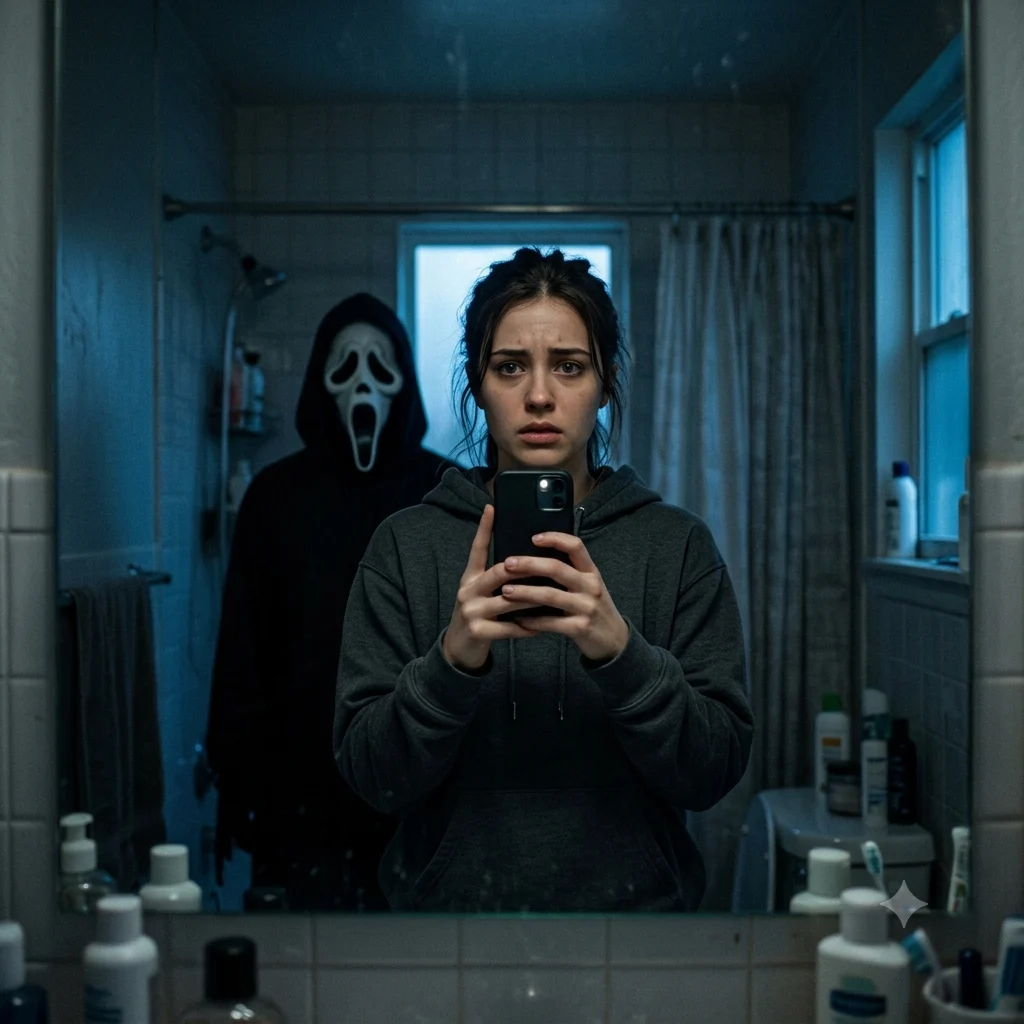
A realistic mirror selfie of [a person] in a dimly lit bathroom, holding a phone up to the mirror. In the reflection the Ghostface figure from Scream stands right behind them, slightly out of focus. Cold blue night lighting, subtle film grain, the edges of the frame falling away into darkness, tense horror atmosphere, photorealistic.
Ghostface in the kitchen at night
Swap the bedroom for a dark kitchen and you get that found-footage, caught-on-camera feeling that does really well on TikTok.
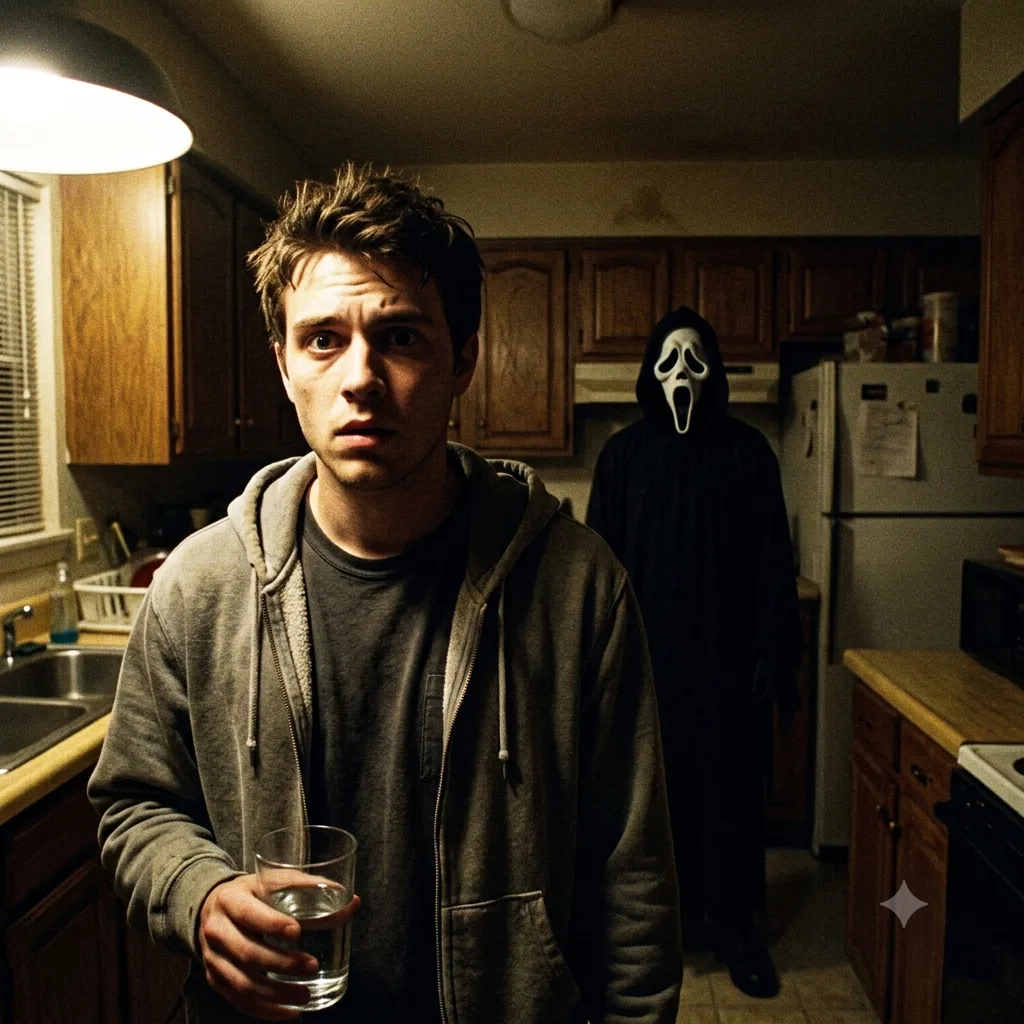
A found-footage style photo of [a person] in a [dark home kitchen] late at night, looking toward the camera. The Ghostface figure stands in the background near the counter, still and silent. A single harsh light source, security-camera grain, high-contrast shadows with the corners of the room dissolving into black, 90s horror film mood.
Y2K bedroom with Ghostface
The girly early-2000s spin, with soft flash, a corded phone, wall posters, and the masked figure watching from the doorway.
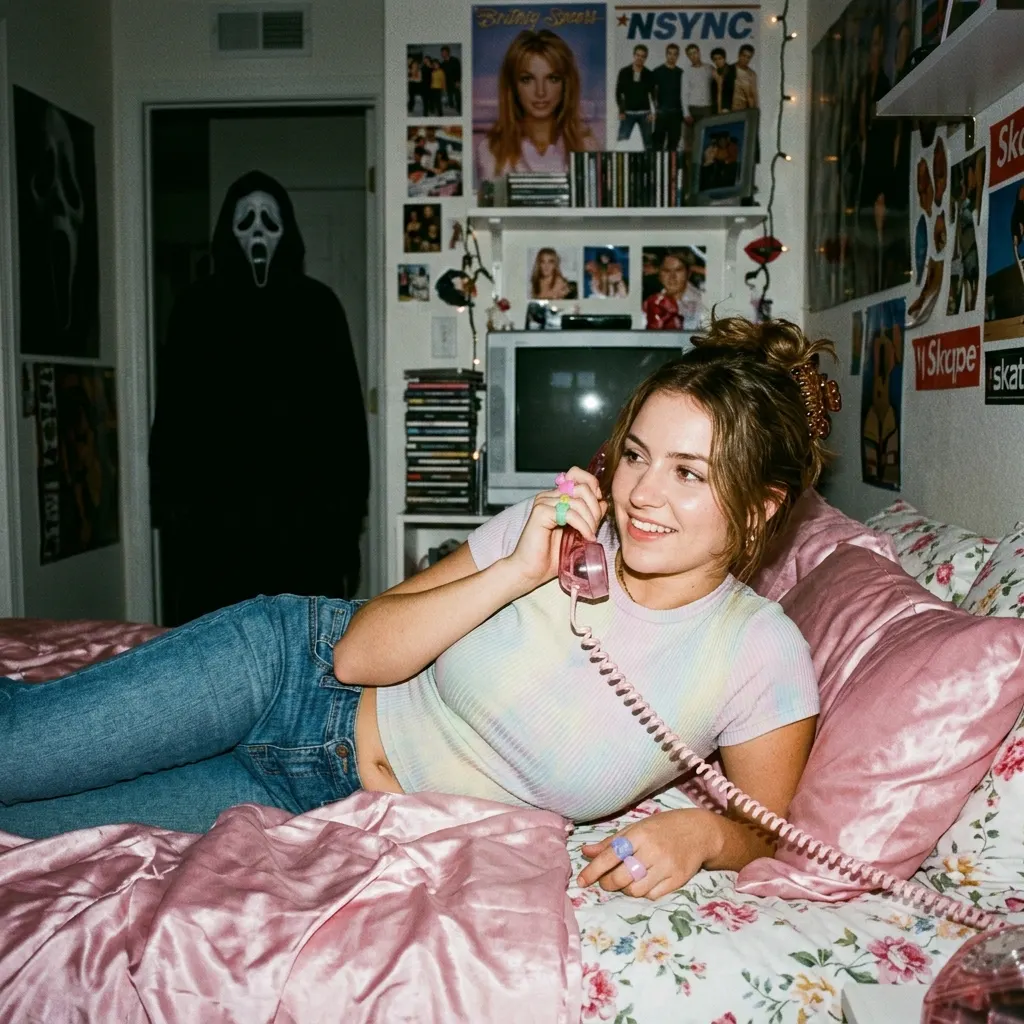
A grainy Y2K style portrait of [a person] lying on [pink satin bedding] holding a corded phone, in a girly early-2000s room with posters on the wall. In the doorway behind them the Ghostface figure stands quietly watching. Soft flash photography, dim warm lighting, the milky softness of an old point-and-shoot photo, nostalgic 2000s snapshot look.
Turn it into a movie poster
Want something you can set as a wallpaper? Ask Gemini to frame you as the lead of your own Scream sequel, with room for a title.
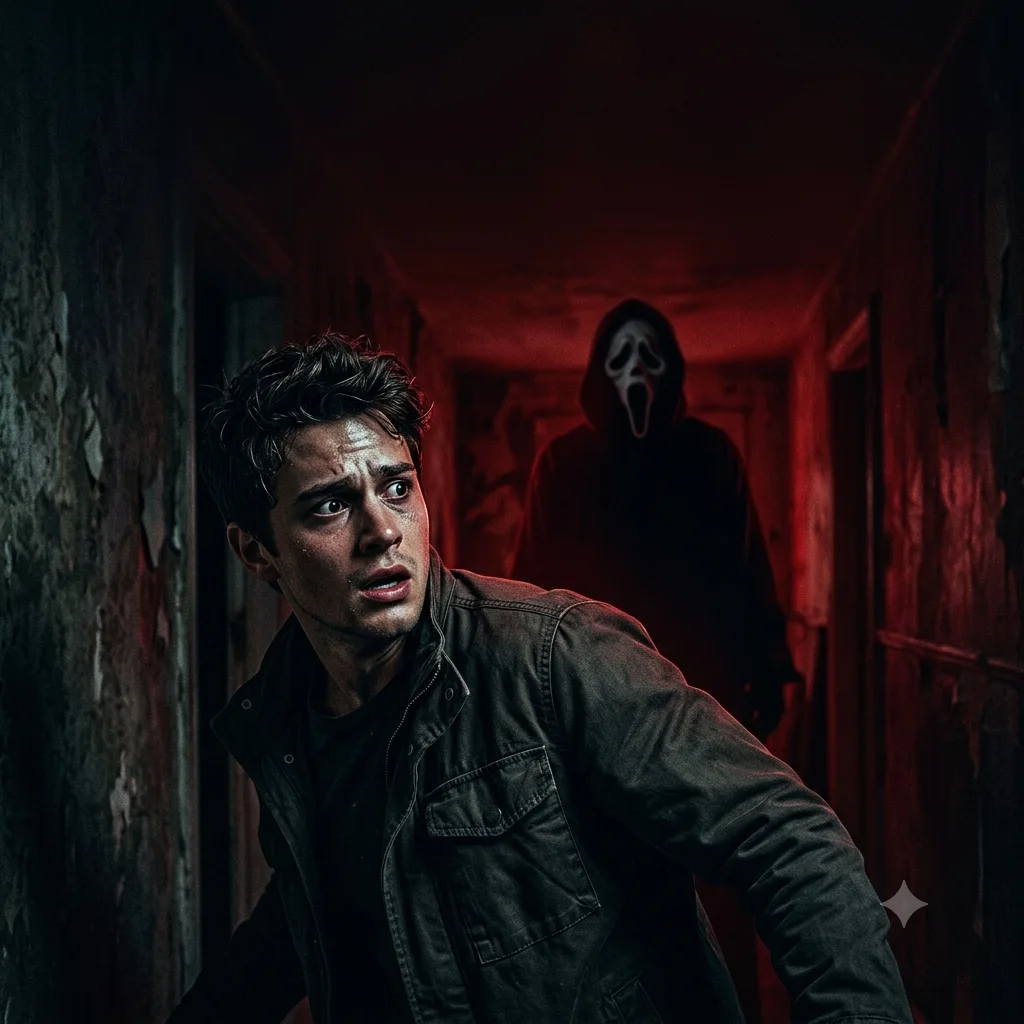
A dramatic horror movie poster featuring [a person] as the lead, looking back over their shoulder in fear while the Ghostface figure looms in the background. Bold cinematic lighting, a deep red and black color grade, empty space at the top for a title, glossy theatrical poster style. Photorealistic.
Swap in another horror icon
Ghostface is only the start. The same setup works for every horror icon, so you can build a whole matching set from one selfie.
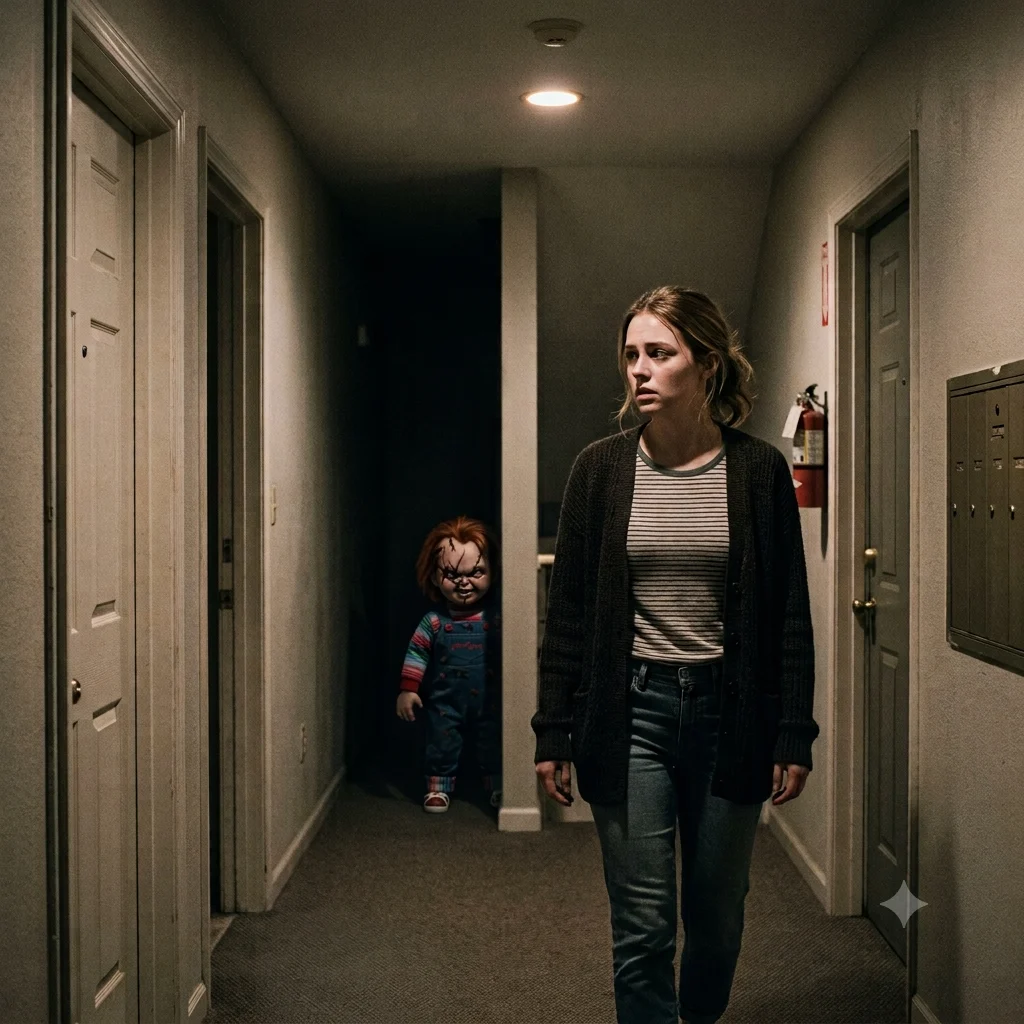
A cinematic night photo of [a person] in [a quiet hallway], with [Chucky] standing behind them in the shadows. Dim moody lighting, a grainy 90s horror film look with a soft VHS-era haze over the frame, the figure partly hidden so it feels real. Swap [Chucky] for Michael Myers, Freddy Krueger, or Pennywise to change the whole scene.
A few extra tips
- The effect lands best when you look unaware in your selfie. A relaxed or distracted expression sells the idea that Ghostface slipped in behind you.
- Make a mini series by keeping the same room and moving Ghostface to a new spot in each shot, it makes a creepy set for a carousel post.
- Put the character's name in your caption so the photo reaches people already searching that trend.